Mining · Settings guide
Bitaxe overclocking: the settings people actually run
Updated 19 July 2026 · about a 10 minute read
A Bitaxe Gamma ships doing about 1.07 TH/s (that's Solo Satoshi's bench figure for stock settings), and it'll happily do a good deal more than that. Overclocking one isn't a hack or a warranty-voider - it's two fields on the AxeOS settings page, put there on purpose. Push the frequency, feed it a touch more voltage, keep it cool, and you'll pull 50 to 70 percent more hashrate out of the same little board. The catch, and there's always a catch, is heat and efficiency.
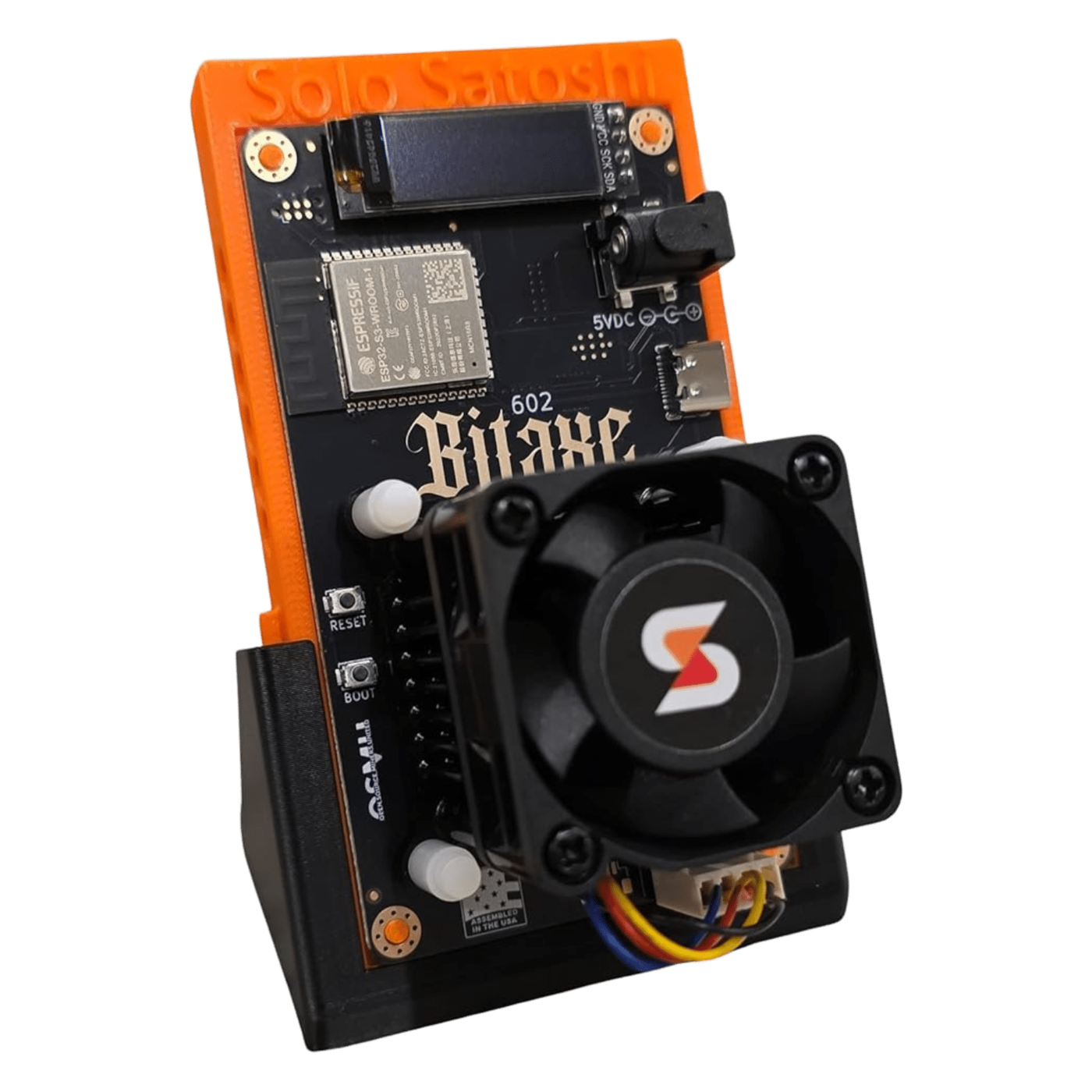
So here's how I'd go about it, the numbers every model actually lands on, and the point where it stops being worth the bother. The measured settings below aren't mine to claim - they come from two guides worth reading in full: Solo Satoshi's bench sweep and D-Central's model-by-model manual. I've distilled them, checked them against what people run on r/BitAxe, and added the bits I'd tell a friend.
Why it's worth doing
Free hashrate, mostly. A stock Gamma sips 18 watts for its terahash and a bit. Nudge it to the sweet spot and you're at a terahash and a half for under 30 watts, which is still a lightbulb. The extra draw costs pennies - Solo Satoshi worked it out at roughly a dollar fifty a month going from stock to full tilt - and every one of those extra hashes is another ticket in the solo lottery. It won't change the odds much. It's a lottery either way. But if you're in for the fun of it, more hashrate for a lightbulb's worth of power is a nice little win.
The reason it's safe to do at all: overclocking is a built-in AxeOS feature, not a mod. Two fields, frequency and core voltage, sat in the settings page. You're not soldering anything or flashing risky firmware. You're typing a bigger number and watching what happens.
The safe way to tune
Right, the actual process. It's slow and a bit boring, and that's the point - rush it and you'll either cook a chip or chase a phantom instability that was really your power supply all along. Both guides land on the same six moves, and so do I.
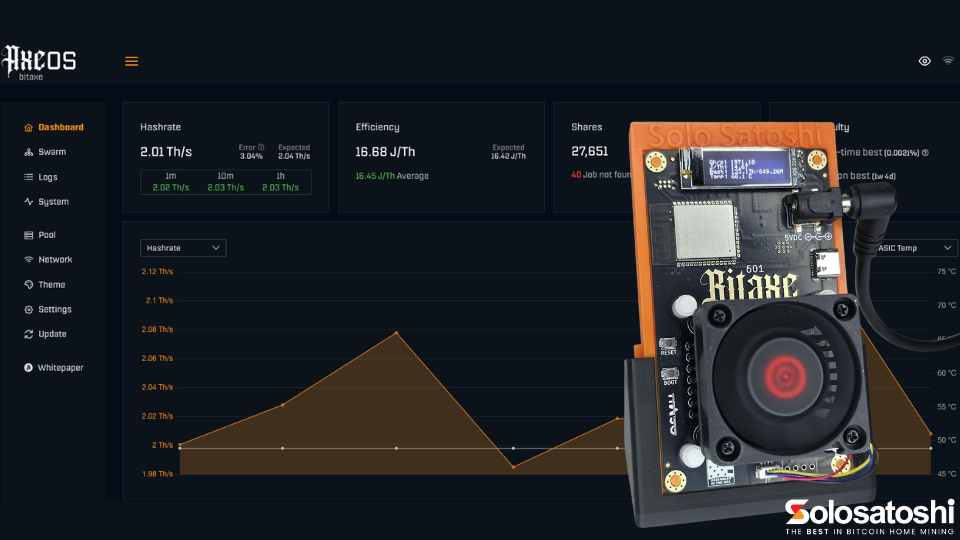
- Raise the frequency 25 MHz at a time. Start from stock, leave the voltage where it is. AxeOS steps in 25s for a reason.
- Wait 15 to 20 minutes and watch three things. Hashrate should climb. Temperature will creep a few degrees. The error rate should stay under 2 percent - that's the number that matters, not rejected shares, which are just network lag.
- Only touch voltage when it stutters. When a frequency won't hold, you've two choices: back off 25 MHz and accept that as your ceiling, or add 25 mV and try again. Power scales with the square of voltage - a 10 percent bump is about 21 percent more heat - so this is where efficiency goes to die.
- Never go past 1300 mV for a miner that runs all day. Above that you're wearing the silicon out through electromigration. Hard ceiling.
- Keep the ASIC under 65C, and watch the VRM. Here's the one that catches people: above about 800 MHz on a Gamma, it's the voltage regulator that overheats first, not the chip. AxeOS often won't even show you the VRM temperature. Unexplained reboots with a cool ASIC? That's your VRM cooking. Stick some little MOSFET heatsinks on.
- Test for days, not minutes. A setting that's rock solid for an hour can fall over at 3am when the room cools and the voltage margin shifts. Give a candidate 24 hours minimum, 48 to 72 if you're serious, then write it down - firmware updates wipe your config.
Push the frequency until errors nudge past 2 percent, then drop back 25 MHz. That's your chip's sweet spot, and it'll be different from mine, because silicon varies. More on that below.
The Gamma, measured
This is the one most people own, so it's worth seeing the whole curve. Solo Satoshi ran a proper bench sweep on a Gamma 602 - pin-fin heatsink, clean 5V supply, 21C room - and it tells you everything about where the value sits and where it falls off a cliff.
| Freq | Voltage | TH/s | Watts | J/TH | ASIC | VRM | Note |
|---|---|---|---|---|---|---|---|
| 525 MHz | 1150 mV | 1.07 | 17.8 | 16.6 | 49C | 57C | stock |
| 600 MHz | 1150 mV | 1.22 | 20.1 | 16.5 | 51C | 62C | free 14% - same voltage |
| 625 MHz | 1250 mV | 1.27 | 25.2 | 19.8 | 56C | 71C | |
| 700 MHz | 1250 mV | 1.43 | 28.4 | 19.9 | 59C | 80C | sweet spot |
| 750 MHz | 1250 mV | 1.54 | 30.2 | 19.6 | 60C | 86C | |
| 800 MHz | 1250 mV | 1.63 | 32.2 | 19.8 | 62C | 94C | add MOSFET heatsinks |
| 850 MHz | 1250 mV | 1.73 | 33 | 19.1 | 62C | 81C | |
| 900 MHz | 1250 mV | 1.84 | 35.2 | 19.1 | 64C | 90C | experts only |
Look at what happens. Stock voltage holds all the way to 600 MHz, so that first jump is free real hashrate for no extra heat to speak of - do that one and don't think twice. From there, 700 to 750 MHz at 1250 mV is where I'd settle a daily driver: half a terahash more than stock, temperatures still sensible. Past 800 MHz the VRM is at 94C, eleven degrees off the cutoff, and the efficiency has already gone from 16.6 to nearly 20 J/TH. The last stretch to 900 MHz buys you a bit more hashrate for a lot more worry. Fun to try. Not how I'd leave it running.
Every model, at a glance
Same chips, different boards. The BM1370 models (Gamma, Duo, GT, Touch) have the most headroom; the older BM1366 and BM1368 boards top out sooner. Stock, a sensible daily setting, and the ragged edge for each:
| Model | Chip | Stock | Daily driver | Max |
|---|---|---|---|---|
| Gamma (601 / 602) | BM1370 | 525 MHz · 1150 mV · 1.07 TH/s · 18W | 700 MHz · 1250 mV · 1.43 TH/s · 28W | 900 MHz · 1250 mV · 1.84 TH/s · 35W |
| Gamma Duo 650 | 2x BM1370 | 525 MHz · 1150 mV · 1.63 TH/s · 26W | 600 MHz · 1150 mV · 1.87 TH/s · 30W | 800 MHz · 1250 mV · 2.5 TH/s · 50W |
| GT 801 | 2x BM1370 | 525 MHz · 1150 mV · 2.15 TH/s · 43W | 600 MHz · 1200 mV · 2.5 TH/s · 50W | 900 MHz · 1300 mV · 3.6 TH/s · 80W |
| Turbo Touch | 2x BM1370 | 525 MHz · 1150 mV · 2.15 TH/s · 43W | 650 MHz · 1200 mV · 2.67 TH/s · 48W | 850 MHz · 1300 mV · 3.4 TH/s · 78W |
| Supra | BM1368 | 490 MHz · 1200 mV · 0.5-0.65 TH/s · 12W | 550 MHz · 1200 mV · 0.6-0.7 TH/s · 15W | 700 MHz · 1300 mV · 0.75-0.9 TH/s · 25W |
| Ultra | BM1366 | 485 MHz · 1200 mV · 0.4-0.5 TH/s · 12W | 525 MHz · 1200 mV · 0.5-0.58 TH/s · 14W | 625 MHz · 1300 mV · 0.65-0.75 TH/s · 22W |
| Hex | 6x BM1366 | 485 MHz · 1200 mV · 3.0 TH/s · 70W | 525 MHz · 1200 mV · 3.3 TH/s · 80W | 625 MHz · 1300 mV · 4.0 TH/s · 120W |
Numbers from Solo Satoshi (BM1370 models, from their bench) and D-Central (Supra, Ultra, Hex), cross-checked between the two. Treat them as starting points - your board will differ.
Where it stops being worth it
A few things I'd want a first-timer to know before they crank it.
- Efficiency falls off a cliff at the top. Stock is always the most efficient your miner will ever be. The last 10 percent of hashrate can cost you 30 percent more power. If you care about the electricity, tune for the sweet spot, not the ceiling.
- The VRM is the real limit, not the chip. Everyone watches the ASIC temperature. The voltage regulator is what quietly overheats first on an aggressive overclock, and AxeOS usually won't show you its temperature. Little adhesive MOSFET heatsinks are a couple of quid and buy you a lot of headroom.
- The silicon lottery is real. Two identical chips off the same reel will have different ceilings. Someone's 900 MHz screenshot is their chip, not yours. Tune your own and don't take it personally.
- Your power supply causes more "instability" than the chip does. A cheap or undersized PSU sags under load and looks exactly like a bad overclock. Single-chip boards want a proper 5V barrel-jack supply, not a phone charger, and don't push more than about 35W through that little jack.
- Cooling beats quiet. A louder fan you can hear beats a throttled chip you can't. If you're overclocking hard, the stock fan at 80 to 100 percent, or a good aftermarket one, earns its keep.
Do the moderate stuff and you're fine - it's a supported feature and it won't void a sensible warranty. Burn a connector, mod the hardware, or shove 1400 mV through it, and you're on your own. Sustained heat above 70C or voltage over 1300 mV shortens the chip's life. Stay under both and a well-tuned Bitaxe will run for years.
What about NerdQaxe and NerdMiner?
Fair question. Neither guide gives you tuned numbers for the Nerd-series boards, so I won't pretend to either. A NerdQaxe++ runs the same BM1370 silicon as the Gamma across four chips, so the per-chip logic above carries over, but the power delivery and cooling are its own thing - tune it by the same slow method rather than copying Gamma voltages. The NerdMiner V2 is a different animal entirely: it's an ESP32 doing kilohashes for the education and the blinkenlights, not a board you overclock for terahash.
Start with the free 600 MHz jump, find your own sweet spot with the slow method, keep it cool, and check in on it now and then - in my experience the temptation to nudge it a bit further never quite goes away. If you've not got a Bitaxe yet, the Gamma is the one I'd start with, and Solo Satoshi assemble them in the US and wrote the bench data this guide leans on.