AI · Explainer
Strix Halo for local AI, explained
Updated 12 November 2026 · about a 7 minute read
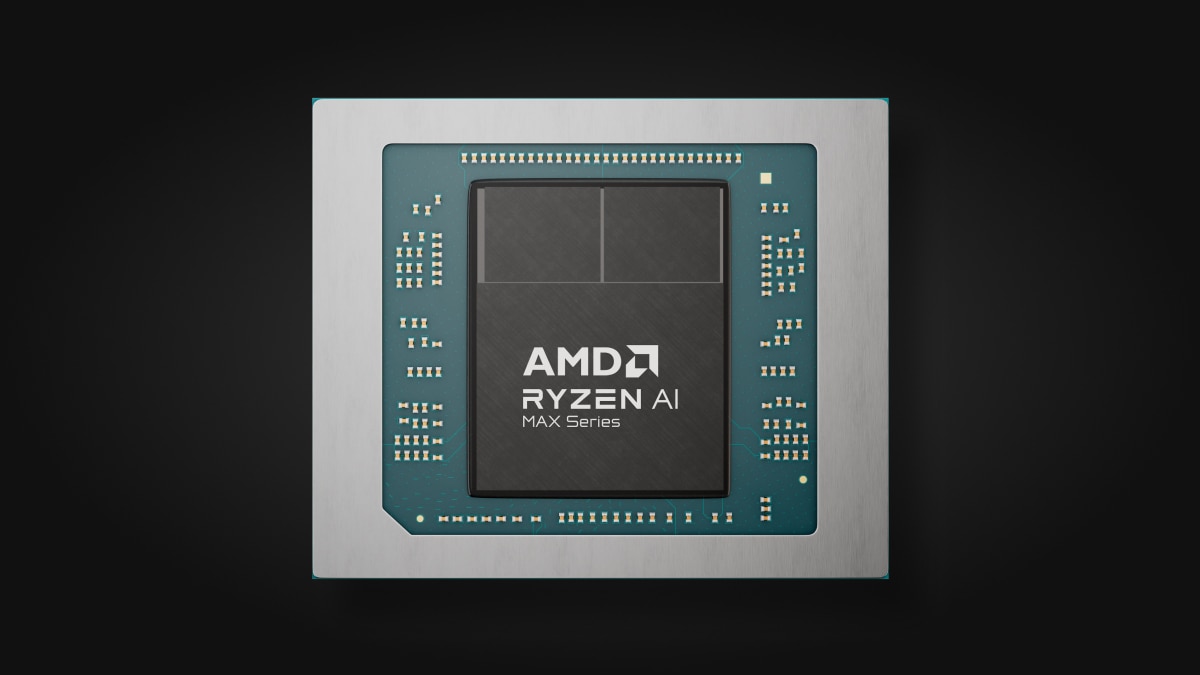
If you want to run a big model at home, the first problem is where to put it. AMD's Ryzen AI Max+ 395, the chip codenamed Strix Halo, takes up to 128GB of memory and its graphics core can address up to 112GB of that. So a 70B model fits in a mini-PC. A 32GB RTX 5090 can't hold one at 4-bit (4-bit is a quant, which is a compressed copy of the model). It's hard to find in the UK too, and well past £3,000 - Scan had one 5090 in stock at the time of writing, at £6,999.98. The catch with Strix Halo is speed.
What Strix Halo is
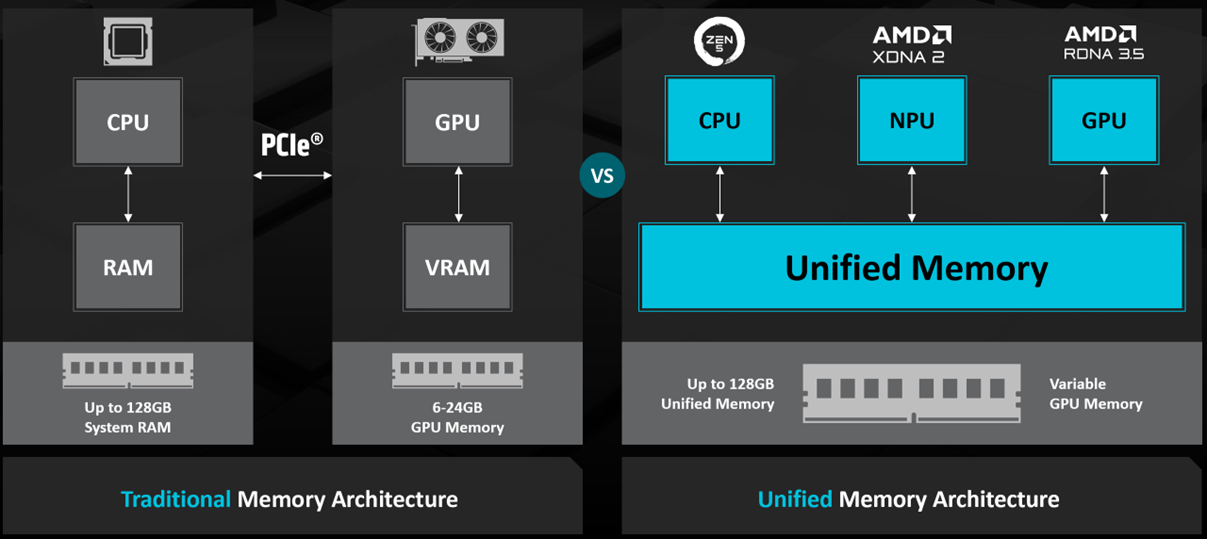
For running models, you're buying the 395 for its memory. The chip takes up to 128GB of LPDDR5X-8000 on a 256-bit interface, which is good for 256 GB/s of memory bandwidth in theory. The rest of the chip is 16 Zen 5 cores and 32 threads, a Radeon 8060S graphics core with 40 compute units and an NPU rated at up to 50 TOPS. It's unified memory. That means one pool, shared between the processor and the graphics core, rather than VRAM on a card. A Mac Studio and a DGX Spark share their memory the same way. The chip's default power is 55W, configurable from 45W to 120W, and GMKtec lists its box as running steadily at 120W with peaks up to 140W.
What it'll run, and how fast
Once a model fits, how fast the 395 runs it comes down to memory bandwidth. That's how quickly the chip can read the model out of memory, and it has to do that for every token, so it sets the speed. On paper the figure is 256 GB/s. A tester called lhl on the Level1Techs forum measured about 215 GB/s at the graphics core in July 2025. For scale, an RTX 5090 is 1,792 GB/s, which is why a graphics card is so much quicker on anything it can hold. Jeff Geerling ran one Framework board on its own, and the numbers are in the table below.
| Model | Single-stream speed |
|---|---|
| gpt-oss-20B (MoE) | 45 tok/s |
| Qwen2.5 14B Q4 (dense) | 23 tok/s |
| gpt-oss-120B (MoE) | 33 tok/s |
| Llama 3.1 70B Q4 (dense) | 5 tok/s |
Single-node runs from August 2025, on pre-production Framework boards, using Vulkan and drawing about 97-140W.
The quick ones are mixture-of-experts (MoE) models, where only part of the model works on each token. That's why gpt-oss-20B ran at 45 tok/s, about twice the 23 that Qwen2.5 14B managed. The Qwen is the smaller of the two, but it's a dense model. The bigger pair go the same way, with gpt-oss-120B at 33 tok/s and Llama 3.1 70B, another dense model, at about 5.
Which box to buy
The three below share the same 395 and the same 128GB, which leaves the choice to price and ports.

Image: GMKtec
In stock
GMKtec EVO-X2
$3,499.99 and in stock at the time of writing, with 2.5GbE and two USB4 ports.
Read the review →

Image: Framework
Lowest list price
Framework Desktop
$3,449 at the time of writing but out of stock, with 5GbE and two rear USB4 ports.
Read the review →

Image: Beelink
Dual 10GbE
Beelink GTR9 Pro
$4,199 on pre-order at the time of writing, with two 10GbE ports and two USB4 ports.
Read the review →
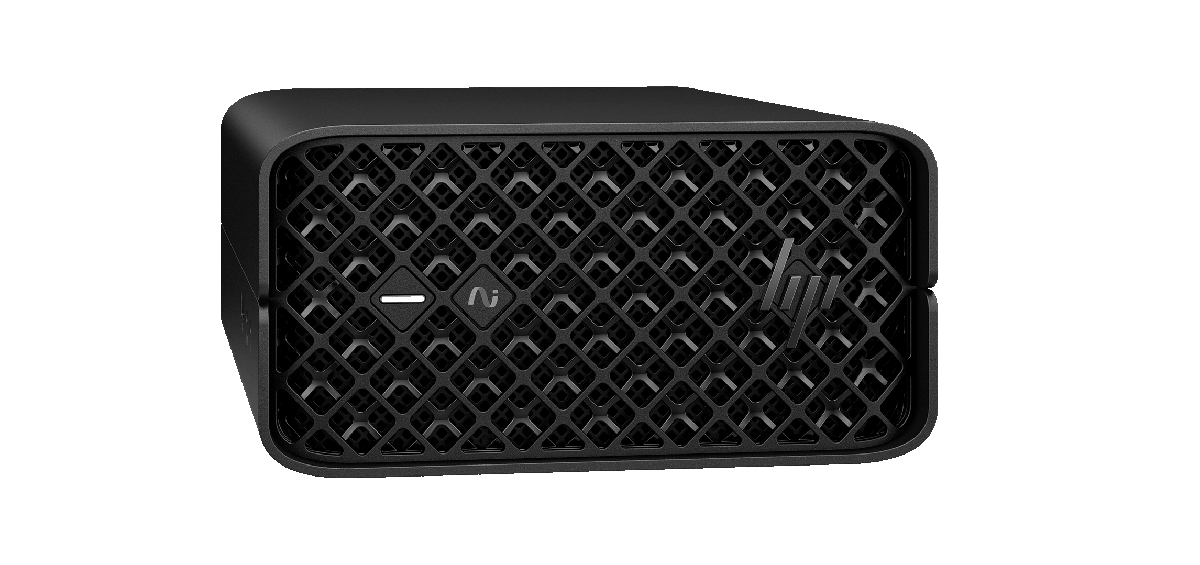
If the Framework comes back into stock, it's the cheapest of the three by about $50. Until then, the GMKtec gets you the same 128GB for about $700 less than the Beelink. The Beelink ships about 35 days after you pre-order it, so it's only worth the wait and the extra if you need its two 10GbE ports. HP makes a workstation version, the Z2 Mini G1a, with up to a Ryzen AI Max+ PRO 395 and up to 128GB.
For now, though, the one I'd go for is the NVIDIA DGX Spark rather than any of these. I have an MSI unit (a GB10 box, the same class of machine as the Spark) on the bench ready for testing, so this may change.
How it stacks up
If the 395 doesn't suit, other ways to fit a big model in at home are a graphics card, the DGX Spark and a Mac Studio.
Versus a graphics card
An RTX 5090 is much faster on whatever fits in its 32GB of GDDR7, and a 70B model at 4-bit doesn't. The Q4_K_M file for Llama 3.3 70B is 42.52GB. A 2-bit quant at 21.14GB does fit, if you'll accept a 70B squeezed that far.
Versus the DGX Spark
The Spark has the same 128GB on a 256-bit interface, at 273 GB/s, which is about 7% more bandwidth than the 395's 256 GB/s. It runs DGX OS, NVIDIA's Ubuntu-based Linux, and CUDA comes with it. The Framework Desktop, by comparison, runs Windows or Linux. The Spark costs more, at $6,950 against $3,449 to $4,199 for the three here, at the time of writing.
Versus a Mac Studio
The current Mac Studio is the M5 generation. The M5 Max has 460 or 614 GB/s of memory bandwidth with up to 128GB, and the M5 Ultra has 1.2TB/s with up to 512GB. That's about twice the 395's bandwidth on the Max and well over four times on the Ultra. So if you're happy on macOS, the same model should run faster on the Mac.
The catches
The NPU
llama.cpp doesn't use the NPU at all, for all its 50 TOPS. There's a feature request for an NPU backend on llama.cpp's GitHub, filed in April 2026 and still open. AMD's own NPU path is ONNX Runtime GenAI, and in llama.cpp the 395 runs on the graphics core only.
The software
In Jeff Geerling's August 2025 runs Vulkan was the faster backend, at 4.97 tok/s on the 70B model against 4.47 with ROCm. Things have moved on since. On GitHub, kyuz0, who maintains a Strix Halo toolbox, now recommends ROCm for performance and keeps Vulkan for compatibility. Ollama has misread the GPU memory on these boxes too, going by two owners' bug reports on its GitHub. In one of them, from version 0.30, only 2GB showed as available in Ollama's containers.
The memory setting
On a 128GB machine, you decide how much of the memory the graphics core gets, and the 112GB it can address assumes you've given it 96GB of Variable Graphics Memory (system RAM handed over to graphics). That's a BIOS-level feature, which on Windows you change from AMD Software: Adrenalin Edition, followed by a restart. In the other Ollama bug report, an owner running Linux had set a 96GB memory limit for the graphics core, yet Ollama's ROCm backend still only saw the 512MB the BIOS had reserved. Its Vulkan backend saw 64GB of the 96. If a model won't load on the graphics core, compare what you've allocated with what the software says it can see.
Before you buy
Put the model you have in mind through the memory calculator to check it fits. If speed matters more to you than size, start with the GPU comparison.
Sources we drew on
The spec sheets, vendor pages and reviews behind this page.
- Ryzen AI Max+ 395 product pageAMD · primary source
- Blog, Ryzen AI Max+ 395 breakthrough AI performanceAMD · primary source
- Blog, VGM / VRAM / model sizes FAQAMD · primary source
- Ryzen AI Software docs, LLM overviewAMD · primary source
- GeForce RTX 5090 pageNVIDIA · primary source
- DGX Spark hardware docsNVIDIA · primary source
- DGX Spark user guide, DGX OSNVIDIA · primary source
- DGX Spark porting guide, software stackNVIDIA · primary source
- Marketplace, DGX SparkNVIDIA · primary source
- Mac Studio tech specsApple · primary source
- HP Z2 Mini G1aHP · primary source
- Framework Desktop configurator (US)Framework · primary source
- Framework Desktop product pageFramework · primary source
- GMKtec EVO-X2 product pageGMKtec · primary source
- Beelink GTR9 Pro product pageBeelink · primary source
- Bartowski/Llama-3.3-70B-Instruct-GGUFHugging Face · primary source
- Ai-benchmarks issue #21, "Benchmark Framework Desktop Mainboard and 4-node cluster"Jeff Geerling · review
- "I clustered four Framework Mainboards to test huge LLMs"Jeff Geerling · review
- "Strix Halo (Ryzen AI Max+ 395) LLM benchmark results", Level1Techslhl, Level1Techs forum · review
- Kyuz0/amd-strix-halo-toolboxes READMEkyuz0, GitHub · forum
- Ollama issue #13681, "GFX1151 TTM setting is not detected"Ollama, GitHub · forum
- Ollama issue #16462, "AMD Strix Halo VRAM Detection Regression in Ollama 0.30+"Ollama, GitHub · forum
- Llama.cpp issue #21725, "Feature Request: XDNA backend"llama.cpp, GitHub · forum
- RTX 5090 categoryScan UK · primary source